checkoutwoocommerce
WooCommerce Cart Abandonment: Technical Causes
November 10, 202610 min read·ShopMonitor Team
Loading…
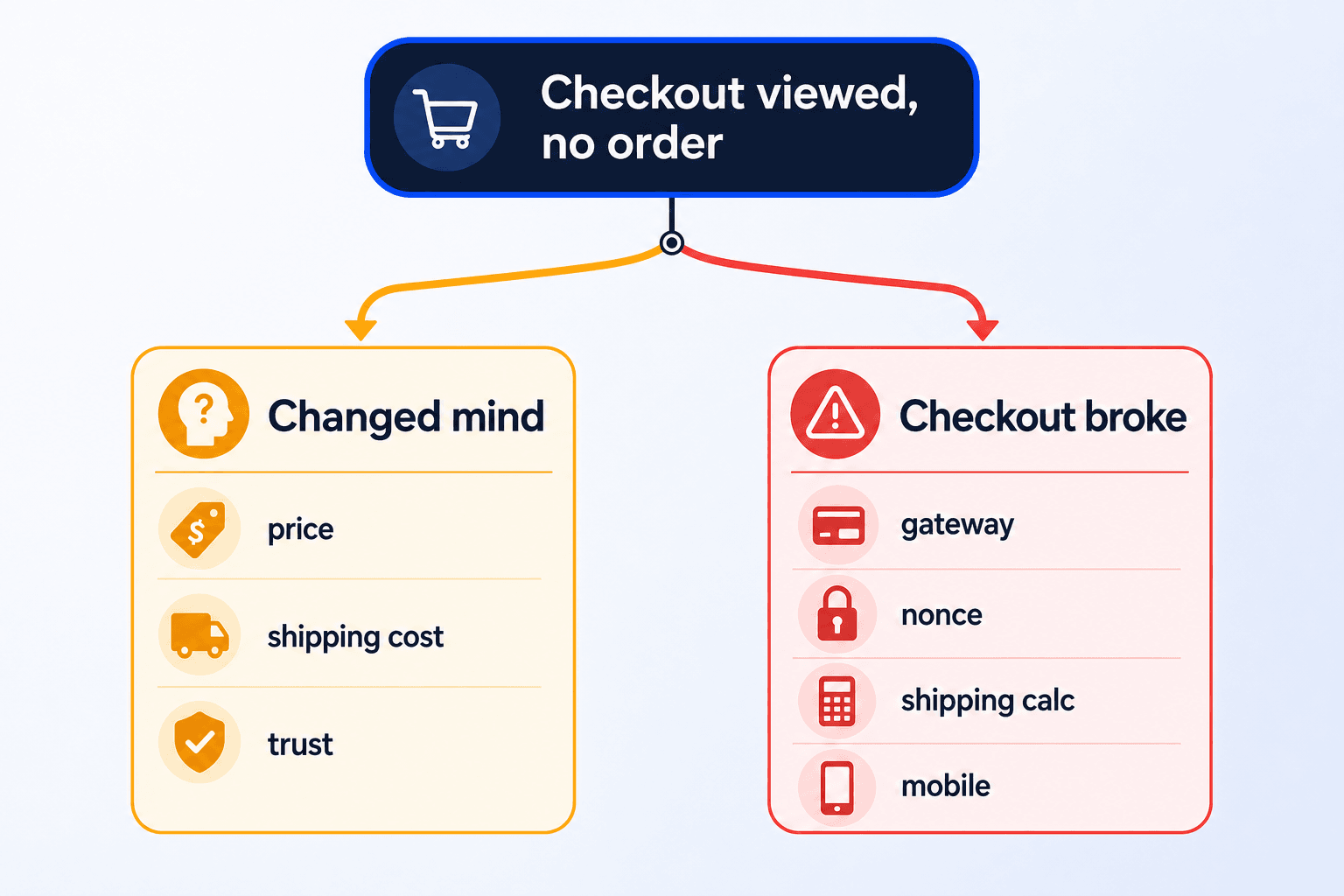
WooCommerce cart abandonment is a useful commercial signal only after you establish that customers had a working route to payment. A failed gateway request, expired session, missing shipping rate, or broken mobile field produces the same analytics trail as a customer who simply changed their mind: checkout viewed, no purchase recorded. Treat those as different problems. This article starts with the technical checks, then moves to conversion work once the checkout path is proven.
Most cart-abandonment guidance is sensible. Recovery messages, clear delivery information, fewer fields, trust cues, and guest checkout can all help a customer who is deciding whether to proceed.
Recovery emails
Discount codes
Trust signals
Fewer form fields
Guest checkout
They share one premise: the buyer is weighing a decision. Each tactic changes value, friction, or reassurance. None repairs a checkout that cannot submit an order.
A customer who intended to pay but met an error is not an abandonment problem. It is an operational failure.
Published woocommerce cart abandonment rate benchmarks do not resolve this. Definitions differ widely: some studies count every cart, others only checkout sessions, and bot traffic is handled inconsistently. Use external figures for orientation, never as a target or proof that your own result is acceptable.
These five failure modes commonly resemble abandonment in reporting. In each case, purchase intent was present but the store could not complete the path.
The Customer Tried to Pay and Received an Error
Card details are entered, Place order is pressed, and an error notice appears. The cause may be a declined authorization, a validation rule the customer cannot see, or a gateway timeout under load. WooCommerce often leaves evidence in a failed order, gateway log, or order note. Analytics does not distinguish that evidence from a customer quietly leaving the page.
In analytics: checkout viewed, time spent on page, no purchase event.
The Gateway Declined for a Configuration Reason
Configuration failures are costly because they repeat. A currency mismatch, overly broad fraud rule, test credentials left in place, or missing billing value after a checkout customization can block every affected buyer. The customer sees a generic payment error. Your aggregate abandonment rate may look entirely ordinary.
In analytics: a stable abandonment pattern with no obvious warning.
The Session or Nonce Expired
WooCommerce sessions and checkout nonces have a limited lifetime. A customer who returns after an interruption may see an empty cart, security error, or refreshed page that loses entered data. Full-page caching can make this worse by serving a stale nonce to a new session. From outside the store, these failures are easy to miss.
Invalid nonce errors at checkout
In analytics: a session ends part way through the funnel with no stated cause.
Shipping Did Not Calculate
When the address returns no shipping method, WooCommerce cannot settle the order total. A postcode may fall outside a zone, a shipping class may lack a rate, or a carrier integration may time out without a fallback. The buyer sees no usable delivery option and leaves. That is a configuration issue, not evidence that the price was rejected.
Checkout shipping cost troubleshooting
In analytics: longer checkout time followed by an exit.
The Page Failed in One Mobile Browser
Front-end failures are often segment-specific. A plugin conflict, card iframe that will not render in an in-app browser, or overlay covering the submit control can affect one browser, device class, or traffic source. A quick desktop Chrome check will not expose it. The buyer taps, nothing happens, and the checkout is effectively unavailable.
In analytics: a healthy overall rate with one severely affected segment.
GA4 records all five as a checkout view without a purchase. It records the missing order, not the reason it is missing.
Checkout failures that can appear as cart abandonment
| What happened | What the customer saw | What analytics recorded | First place to investigate |
|---|---|---|---|
| Payment error during authorization | Error notice above the form | Checkout viewed, no purchase | Gateway log and failed-order notes |
| Gateway misconfiguration | Payment could not be processed | A flat, persistent rate | Gateway dashboard, currency and country rules |
| Session or nonce expired | Empty cart or security error | Session ends mid funnel | Session lifetime and checkout caching |
| No shipping method returned | No delivery option or usable submit path | Long dwell time then exit | Shipping zones and carrier API timeouts |
| Front-end failure | Frozen or absent payment field | One segment performs far worse | Browser and device data, console errors |
Start with four checks that use evidence you already own. Run them in this order, then decide whether you have a technical incident or a conversion question.
Open WooCommerce > Status > Logs and review the latest entries for each payment gateway. Gateway integrations commonly record declines, timeouts, and validation failures even where no order was created. Compare a week of log entries with the same week of orders. Repeated authorization failures are not background noise. They are a lead.
Filter orders by failed and pending payment status. A failed order shows that a buyer reached the payment step and the transaction did not complete. A growing cluster is a technical signal, and the order notes often contain the gateway response. Pending payment is less conclusive: it can mean an offline method awaiting transfer or a buyer who never returned from an external gateway.
Important
This check joins two records of the same commercial event. They should agree, yet many stores never compare them.
A gateway transaction without an order record needs investigation. It can create both a customer-support issue and an accounting discrepancy. Decline reasons also show whether failures are scattered or concentrated around a card type, country, or order-value band.
An aggregate abandonment rate says little. Split the route from cart to checkout to purchase by device, browser, country, and payment method. Compare segments with each other, not with a benchmark. Even underperformance across segments can point to price, delivery cost, or timing. A sudden gap in one mobile browser is a stronger reason to inspect the implementation.
Each issue has its own repair path. The practical discipline is to identify the failure before reaching for a generic optimization.
Once the technical route is verified, the remaining exits are more likely to reflect a customer decision. That is when the standard conversion work earns its place.
Reduce the Number of Fields
Every extra field asks the buyer for another decision. Remove anything not required to fulfill, invoice, or contact them. Be cautious with checkout changes: they are a frequent source of self-inflicted regressions. Prefer hooks to template rewrites. Our guide to customizing the checkout page explains the safer approach.
Offer Guest Checkout
Requiring account creation before payment adds a hurdle at the wrong moment. Enable WooCommerce guest checkout where the business model allows it. If you want registrations, offer the account after the order on the thank-you page. Stores that need authenticated purchases, such as some subscription or wholesale setups, are a reasonable exception.
Remove Unnecessary Steps Before Checkout
For a small catalog or single-product store, the cart page can be a stop without a job. Sending the buyer from product to checkout removes a page and a click when the cart adds no decision value. Keep the cart when customers compare items or apply coupons before payment.
Make the Checkout Feel Fast
Recovery emails can bring customers back. Send them only to addresses you collected appropriately, and only after you have established that the checkout path works.
Important
Technical checkout failures stay quiet because a store does not announce them. Orders merely slow down, which can look like an ordinary weak week. The first reliable report may be a buyer who takes the time to contact you. Routine changes can trigger the issue: a plugin release, gateway policy change, expired credential, or theme update that moves a control.
The reliable test is a scheduled real-browser journey through the live store, ending at the checkout confirmation path. Doing that manually soon becomes inconsistent. ShopMonitor runs scheduled browser checks of checkout, forms, and the thank-you path, then alerts you when a step fails. It does not verify inbox delivery or email content.
ShopMonitor checks browser-based checkout and form paths on a schedule, including the thank-you path, and alerts you when a step fails.
No credit card required.

About the author
Written by the team at Winning Solutions, the agency behind ShopMonitor. We help WooCommerce stores separate buyer decisions from technical checkout failures with scheduled browser checks of the path to confirmation.