wordpressformsmonitoringwoocommerce

WordPress Form Failure Monitoring: Detect Broken Forms Automatically
August 3, 20269 min read·ShopMonitor Team
Loading…
Your contact form looks fine. The WooCommerce checkout still loads. Uptime monitors report 200 OK. And yet leads stop arriving, orders stall, and nobody on your team notices for days. WordPress form failures are usually silent — the page renders, the button works visually, but the submission never completes. This guide explains why that happens, what form failure monitoring actually means, and how to catch broken forms automatically before customers (and revenue) slip away.
WordPress sites stack plugins, caches, CDNs, SMTP providers, and payment gateways. Any one of them can break a form without taking the site down. The failure modes below are the ones we see most often in production stores and lead-gen sites.
Plugin updates that break form validation
A form plugin, security suite, or WooCommerce extension ships an update. Validation rules change, a JavaScript dependency moves, or a hook fires in a different order. The form still displays. On submit, AJAX returns an opaque error — or nothing at all. Site owners often only discover the break when a sales pipeline goes quiet or a Black Friday spike produces zero completed checkouts.
Contact Form 7, Gravity Forms, WPForms, Fluent Forms, and WooCommerce checkout all share this risk: they depend on front-end scripts and server-side handlers that other plugins can interfere with. An update that "passes" in staging with a single happy-path test can still fail for guests, certain browsers, or cached page variants.
Caching conflicts (nonce expiry)
Page caches love static HTML. Forms hate it. WordPress nonces and session tokens expire; cached checkout or contact pages keep serving yesterday's token. The visitor sees a normal form, clicks submit, and WordPress rejects the request. From the outside it looks like "the form is broken" with no obvious outage.
Full-page caches (WP Rocket, LiteSpeed Cache, Cloudflare, host-level page cache) are the usual culprits when the HTML never refreshes. Payment testing makes the same class of bug obvious: a checkout that worked with Stripe test cards yesterday can start failing after a cache rule reset — without any change to your payment settings.
SMTP/email delivery failures
Many forms "succeed" on the front end while the notification email never leaves the server. PHP mail() is blocked, SMTP credentials expire, a provider rate-limits you, or a spam filter silently drops the message. The user sees a thank-you page. Your inbox stays empty. Lead forms and WooCommerce order emails share this failure mode.
If you only check that the HTTP response is 200, you will never catch this. Form monitoring catches submit and thank-you failures. Inbox delivery is a separate check — SMTP logs, provider dashboards, or a manual test order — because most checkout monitors do not open a mailbox.
Third-party service outages (Stripe, Mailchimp, etc.)
Checkout and newsletter forms often call Stripe, PayPal, Mailchimp, HubSpot, reCAPTCHA, or Cloudflare Turnstile mid-submit. When those APIs time out or return errors, the form can hang, show a generic failure, or appear to succeed while the integration never runs. Your WordPress host is fine. The dependency is not.
These outages are especially nasty because they are intermittent. A manual test at 10:00 can pass; the 14:00 spike fails. Continuous monitoring is the only practical way to catch partial outages before a full day of traffic is lost.
Silent form failures do not show up as downtime. They show up as missing revenue and missing pipeline — usually discovered late.
The longer a silent failure runs, the harder it is to quantify. You rarely get a clean "orders dropped to zero at 11:42" signal unless something is actively placing test submissions on a schedule.
Form failure monitoring is not a ping. It is an end-to-end check that a real visitor path still works: open the form, fill required fields, submit, and confirm the expected outcome. For WooCommerce that outcome is usually an order (or a controlled test order) and a thank-you / order-received state. For a lead form it is the success UI. Inbox delivery of notification emails is valuable — but it is a separate concern from browser form monitoring.
One-time testing answers "does it work right now?" You run a test after a deploy, after a plugin update, or before a campaign. That is necessary — and insufficient. Sites break between deploys: cache rules drift, certificates renew wrongly, SMTP tokens expire, gateways flip modes.
Continuous monitoring answers "did it still work in the last hour?" Scheduled browser runs catch regressions that no human will notice until metrics tank. If you only test when someone remembers to, you are gambling that nothing changed overnight.
| Approach | When it runs | What it catches | What it misses |
|---|---|---|---|
| Manual / one-time QA | After changes you remember | Known regression paths | Overnight / weekend / silent drift |
| Uptime ping | Every few minutes | Down servers, DNS, TLS | Broken forms that still return 200 |
| Continuous form monitoring | On a schedule (e.g. hourly) | Submit + confirm failures | Nothing if the check is too shallow |
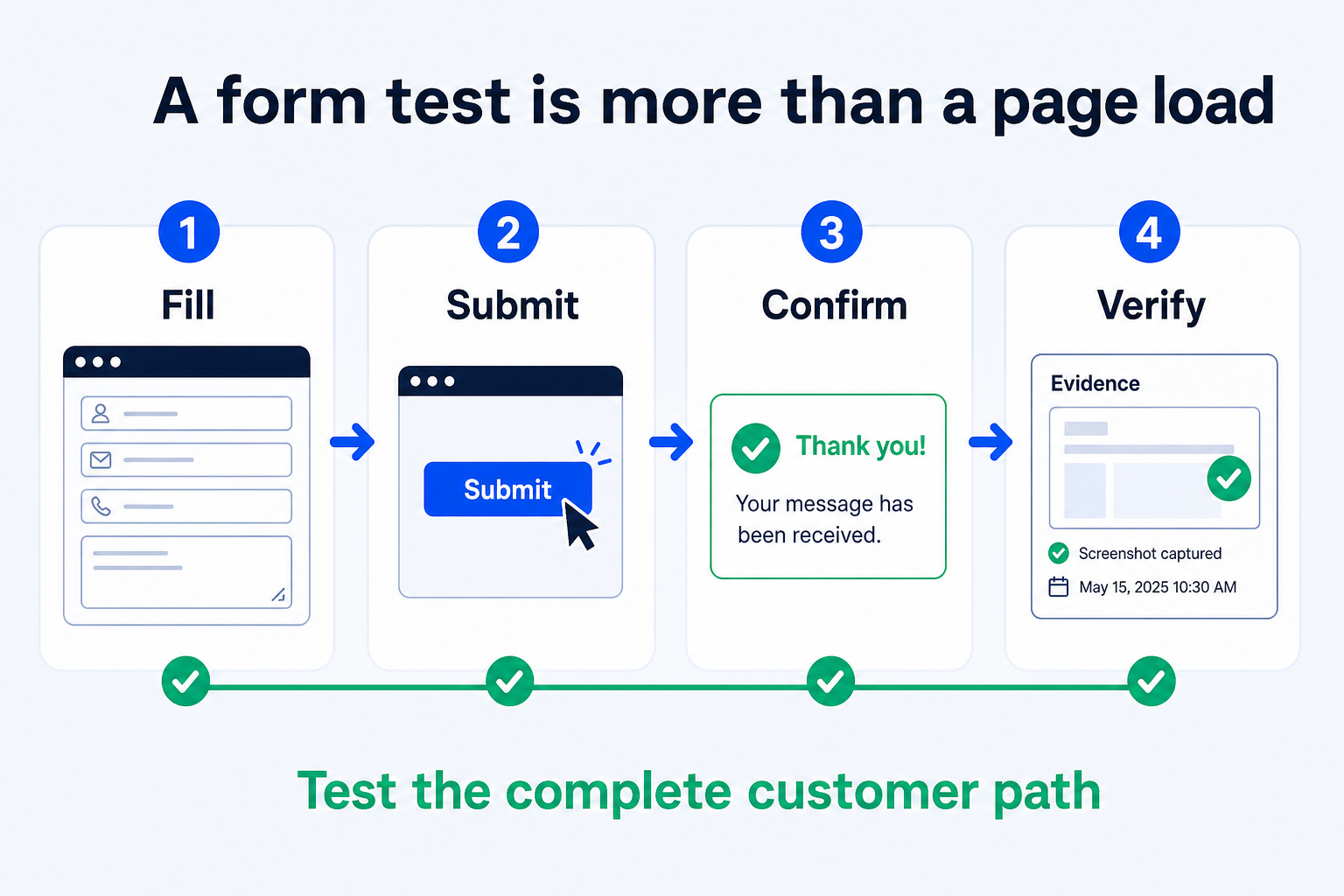
A useful form monitor walks the same path a customer does — in a real browser, not a synthetic HTTP POST that skips JavaScript.
Animated pipeline: fill → submit → confirm → verify — the four checks a form monitoring bot should complete on every run.
Fill
Submit
Confirm
Verify
If any step fails, the run is a failure — even if the homepage is up. That single rule is the difference between monitoring that protects revenue and monitoring that only protects vanity uptime.
Uptime ≠ form health
You have three realistic options. They are not equally scalable — but each has a place depending on team size and how critical the form is.
Manual checks (periodic, not scalable)
Open the form in a private window, submit, check the inbox or order list. Do this after every deploy and before major campaigns. Document the steps so anyone on the team can repeat them.
Limits: humans forget weekends, holidays, and "small" plugin updates. Manual checks also rarely exercise guest vs. logged-in, mobile vs. desktop, or payment decline paths. Treat manual QA as a deploy gate, not as your only safety net.
Self-hosted scripts (Playwright/Puppeteer – for developers)
A Playwright or Puppeteer script can fill and submit forms on a cron job, assert selectors, and alert via Slack or email. This is powerful if you already maintain CI and hosting for the runner.
Costs: browser maintenance, flake handling, consent banners, captchas, email verification, secrets for test gateways, and on-call when the runner itself dies. For one critical form on one site, a script can be enough. For agencies or multi-store setups, the ops burden grows fast.
SaaS monitoring tools (no code, scheduled)
SaaS form and checkout monitors run scheduled browser tests without you hosting the runner. You configure the URL, cadence, and alerts. For WooCommerce-focused tools, compare feature depth and pricing carefully — see our roundups of CheckView alternatives, Robot Ninja alternatives, and the head-to-head ShopMonitor vs CheckView vs Shopwarden.
The right tool for WordPress is one that exercises real browser flows (not only HTTP), asserts checkout or thank-you outcomes, and alerts quickly when a run fails. Generic uptime SaaS is not a substitute — and neither is assuming the tool also verifies inbox delivery.
ShopMonitor is built for WooCommerce and WordPress conversion paths. On each scheduled run it drives a real browser session through the flow you care about and fails closed if anything in that path breaks.
Setup does not require a WordPress plugin for core monitoring. You point ShopMonitor at the store, schedule runs, and get alerts. Recent product improvements are covered in the July 2026 product update.
ShopMonitor runs automated checkout and form tests every day – and alerts you the moment something breaks. No code changes. No plugins. Setup in 5 minutes.
No credit card required.

About the author
Written by the Winning Solutions team — the agency behind ShopMonitor, automated WooCommerce checkout and form monitoring.